
01
Full Suite
Everything Mode
Docked sidebar plus top navigation bar. Complete instant access to all 18 Google apps, quick search, recent documents, and your pinned favorites.
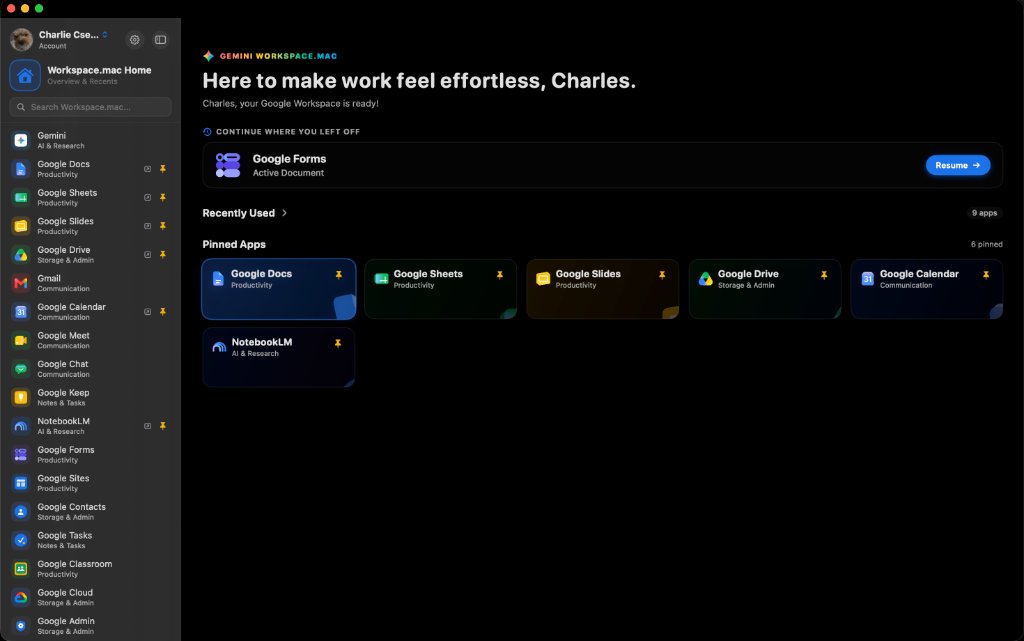
Say goodbye to browser tab chaos. Experience Docs, Sheets, Gmail, Drive, Calendar, and Gemini in a single, lightning-fast native macOS desktop client built with liquid glass materials and modern macOS design.
Workspace.mac — Dashboard
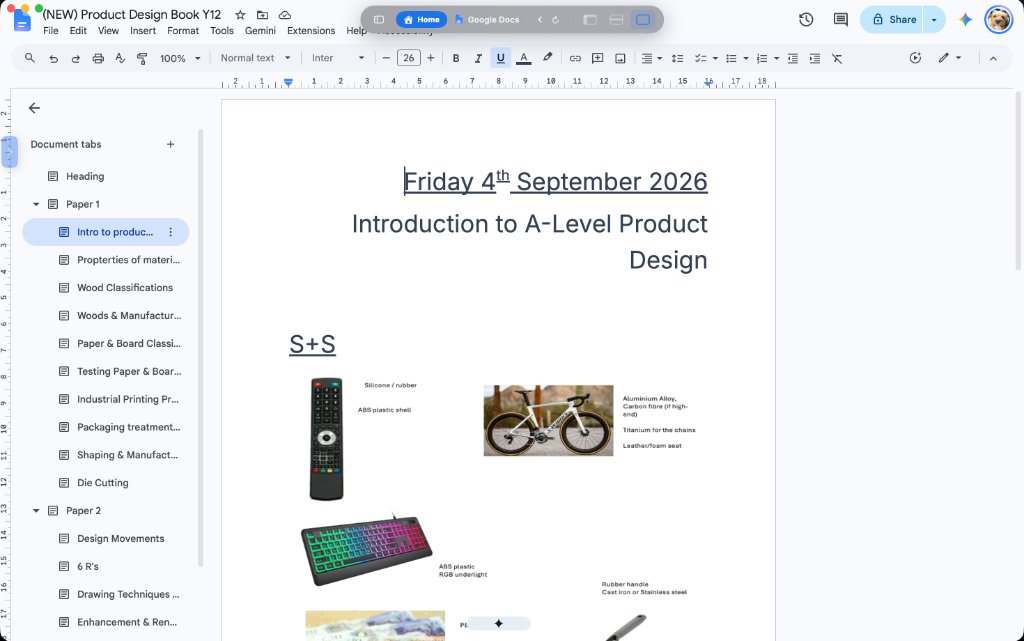
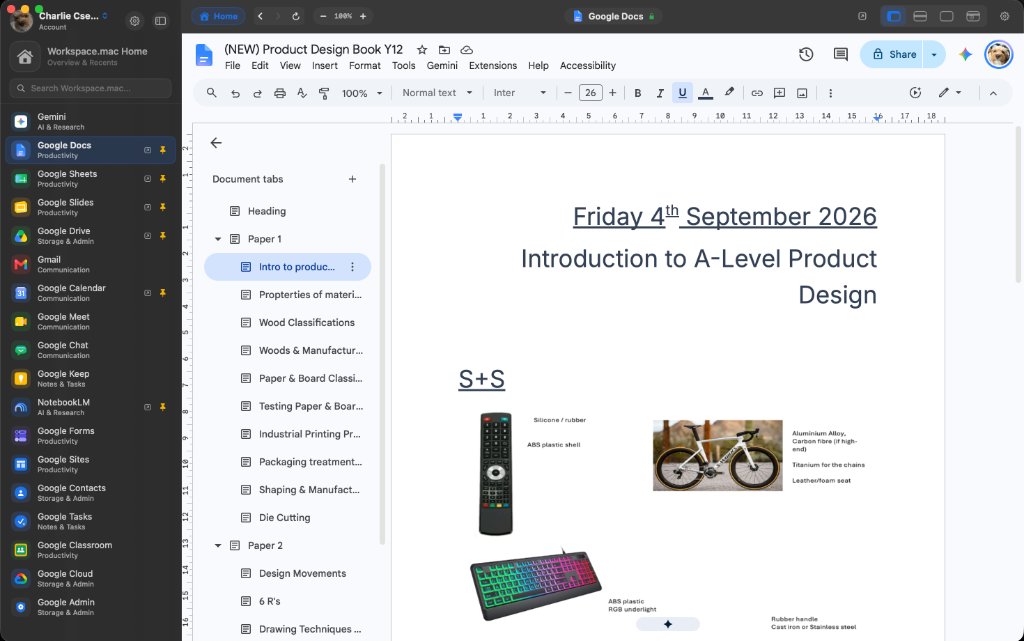
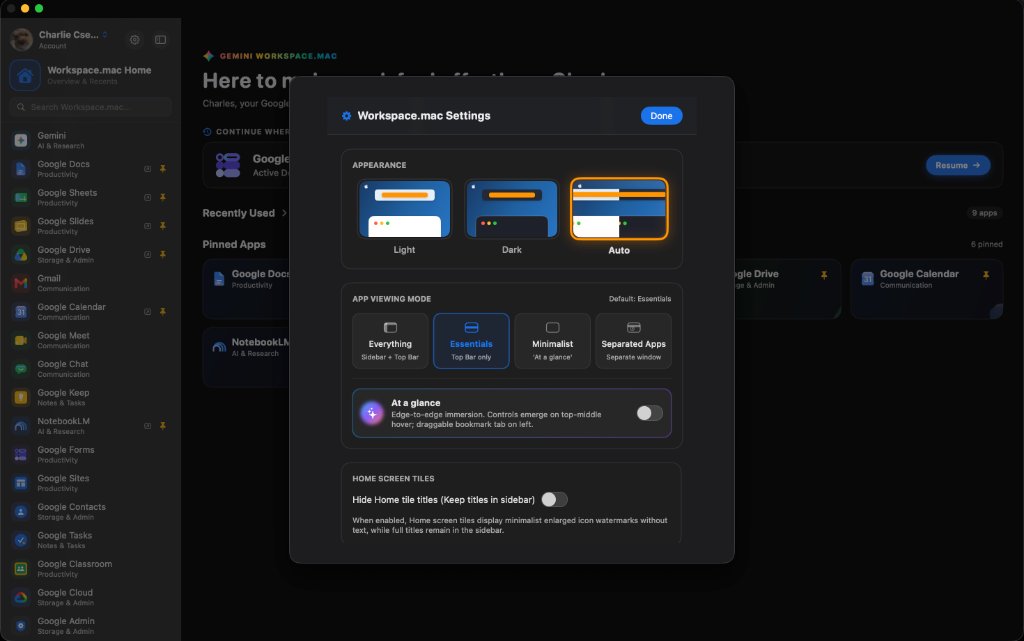
Whether you want full navigation, a floating pill, or zero distractions, Workspace.mac effortlessly adapts to how you work.
Docked sidebar plus top navigation bar. Complete instant access to all 18 Google apps, quick search, recent documents, and your pinned favorites.
A compact floating top navigation pill bar. Maximizes vertical screen real estate for your documents while keeping 1-click app switching right at your fingertips.
Edge-to-edge fullscreen immersion. Interface controls gracefully emerge only when you hover over the top-middle, with a draggable bookmark tab on the left.
Built with native WebKit and macOS liquid glass materials. Workspace.mac dynamically respects your system's light and dark appearance in real-time, eliminating jarring white flashes.
Switch effortlessly between drafting documents, analyzing spreadsheets, coordinating calendars, and collaborating with Gemini without opening 30 browser tabs.
Workspace.mac is an independent native utility built with user trust at its core. Zero intermediaries, zero tracking.
Authentication and passwords go directly between your Mac and Google’s official servers. No middleman proxy or cloud sync.
Supports hardware biometric verification with the Apple Secure Enclave for friction-free, secure 2FA authentication.
100% transparent. No paywalls, no subscriptions, no ads, and no background analytics tracking your workflow.
Download the official disk image installer or package. Drag to your Applications folder and you're ready to go.
Workspace.mac.app to your Applications folder → Launch & sign in.