Version 1.2.0 is live: meet the all-new Workspace.mac
Workspace.mac app icon Workspace.mac app icon
01 • WORKSPACE.MAC FOR MACOS Freeware utility

All 18 Google Workspace apps.
Made for your Mac.

Say goodbye to browser tab chaos. Experience Docs, Sheets, Gmail, Drive, Calendar, and Gemini in a single, lightning-fast native macOS desktop client built with liquid glass materials and modern macOS design.

  • 100% Free & Local
  • Sandboxed WebKit
  • Touch ID Passkeys
  • Zero Telemetry
icon icon Workspace.mac — Dashboard
Essentials
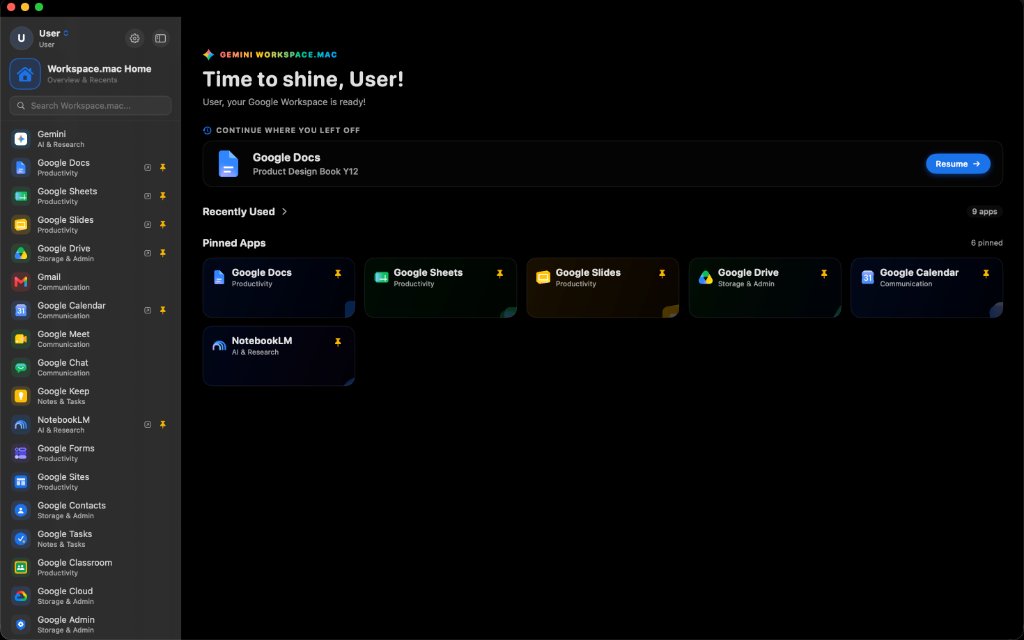
Workspace.mac Homescreen showcase
Homescreen: Quick search, pinned apps & seamless resume
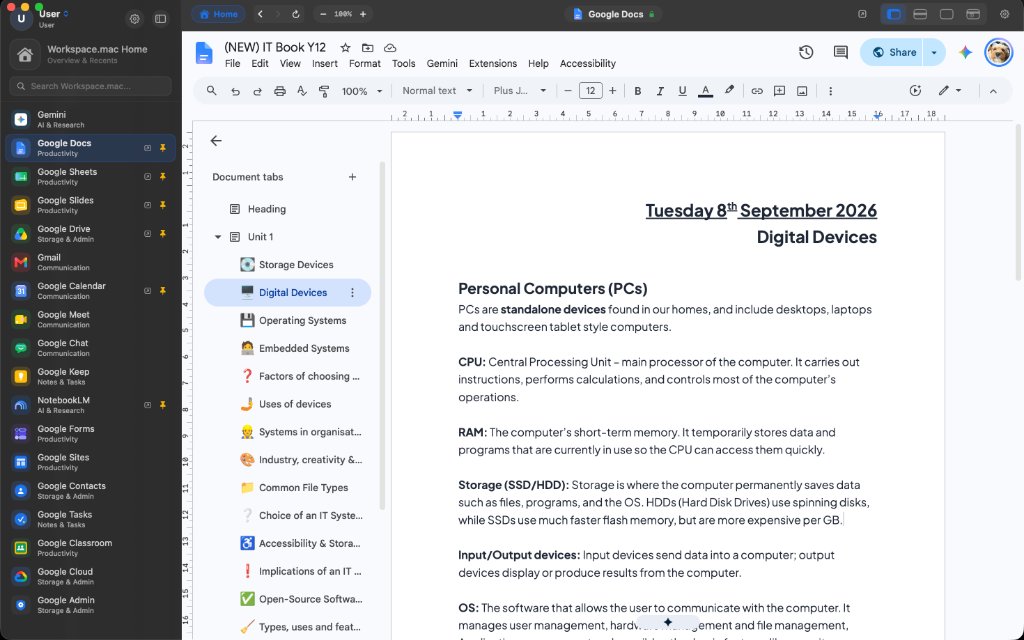
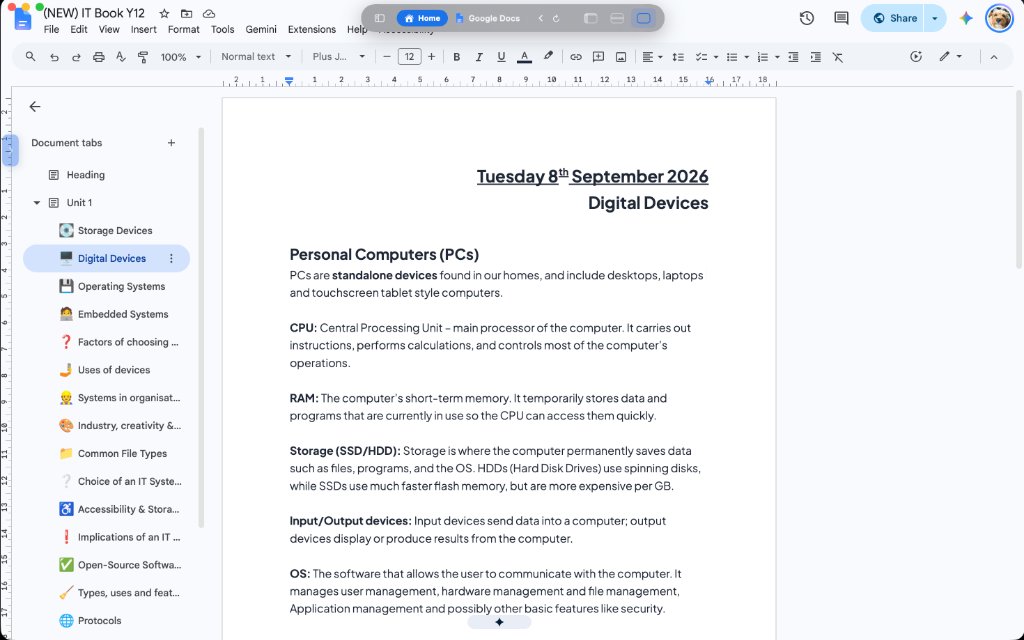
Workspace.mac Docs showcase with Everything Mode
Everything Mode: Full docked sidebar plus top navigation bar
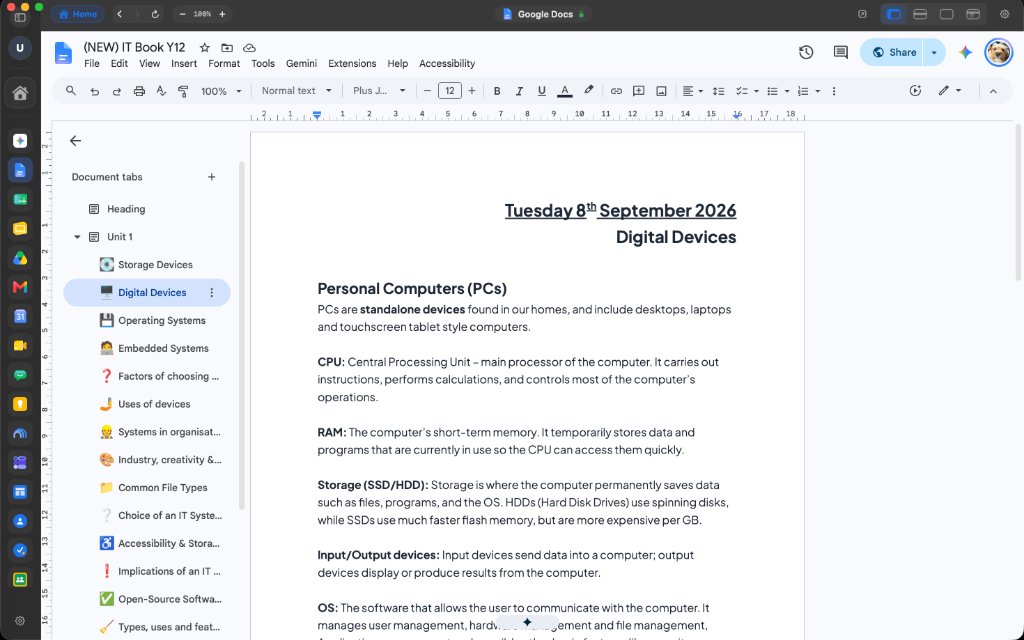
Workspace.mac Docs showcase with collapsed sidebar
Collapsed Sidebar: Compact icon bar expands workspace width
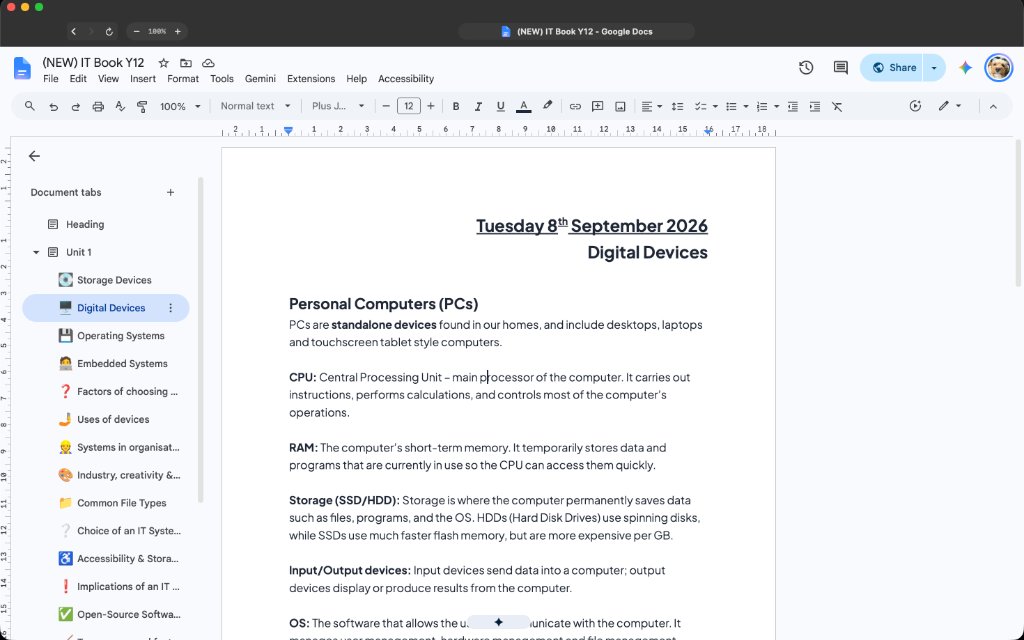
Workspace.mac Docs showcase with Essentials Mode
Essentials Mode: Top bar only with maximum vertical height
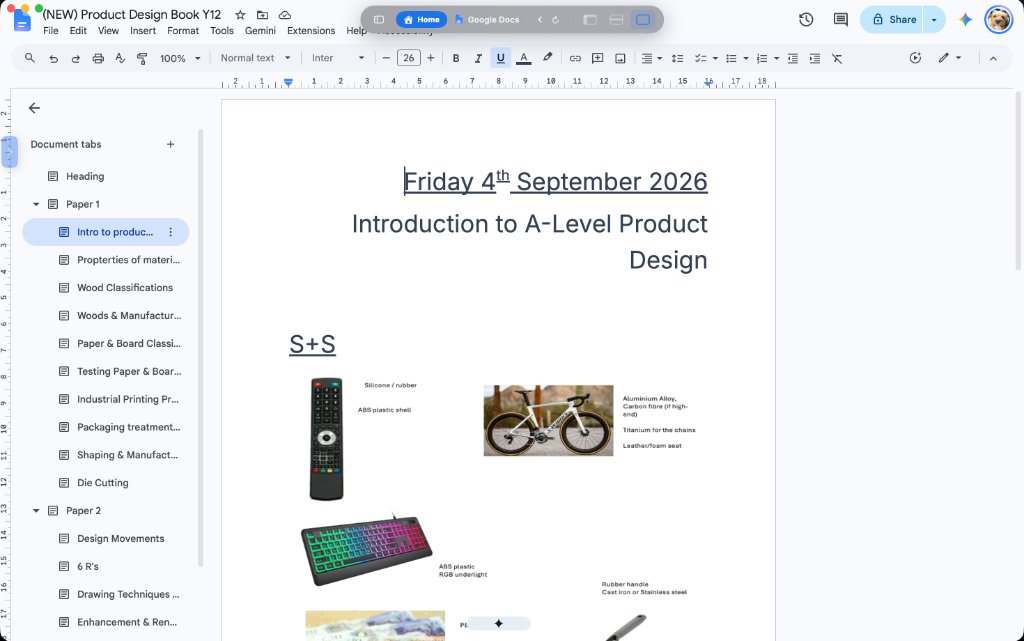
Workspace.mac Docs showcase with At a glance
At a Glance Mode: Edge-to-edge fullscreen immersion with hover controls
Workspace.mac Docs showcase with Separate window
Separate Window Mode: Detach apps into their own dedicated macOS windows
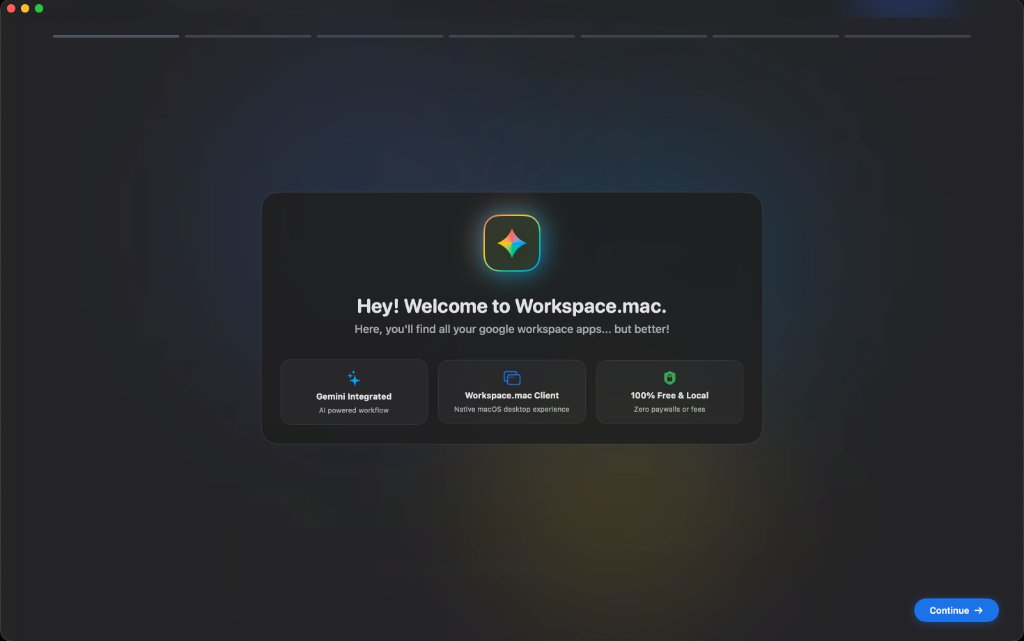
Workspace.mac initial setup screen
Initial Setup: Modern onboarding with local profile creation

Three adaptive modes.
One focused workflow.

Whether you want full navigation, a floating pill, or zero distractions, Workspace.mac effortlessly adapts to how you work.

01 Full Suite

Everything Mode

Docked sidebar plus top navigation bar. Complete instant access to all 18 Google apps, quick search, recent documents, and your pinned favorites.


Sidebar + Top Bar Quick Search Pinned Apps
02 Top Bar Only

Essentials Mode

Top bar only, with no sidebar. Maximizes vertical and horizontal screen real estate for your documents while keeping top-level app switching right in view.

Top Bar Only No Sidebar Max Workspace
03 Popup Bubble

At a Glance Mode

Edge-to-edge true fullscreen immersion. Interface controls emerge via a floating popup bubble at the top middle on hover, paired with a draggable bookmark tab on the left.

Top Popup Bubble Draggable Tab Zero Distraction

Feels right at home
on your Mac desk.

Built with native WebKit and macOS liquid glass materials. Workspace.mac dynamically respects your system's light and dark appearance in real-time, eliminating jarring white flashes.

Automatic Appearance Matching: Flawless light, dark, and auto modes configured in seconds.
Personalized Local Profile: Custom avatar photos, custom greetings, and animated typography transitions.
Unified Single Sign-On: Sign in once with Google; your session stays securely active across all 18 apps.
Workspace.mac Welcome and Setup Modal

All 18 Workspace tools.
Plus dedicated Gemini AI.

Switch effortlessly between drafting documents, analyzing spreadsheets, coordinating calendars, and collaborating with Gemini without opening 30 browser tabs.

✨
Gemini AI Assistant, Plus, Pro, Ultra
Google DocsProductivity
Google SheetsProductivity
Google SlidesProductivity
Google DriveStorage & Admin
GmailCommunication
Google CalendarCommunication
Google MeetCommunication
Google ChatCommunication
Google KeepNotes & Tasks
NotebookLMAI & Research
Google FormsProductivity
Google SitesProductivity
Google ContactsStorage & Admin
Google TasksNotes & Tasks
Google ClassroomProductivity
Google CloudStorage & Admin
Google AdminStorage & Admin
100% PRIVATE, SECURE & LOCAL

Your data stays yours. Always.

Workspace.mac is an independent native utility built with user trust at its core. Zero intermediaries, zero tracking.

🔒

Direct Sandboxed WebKit

Authentication and passwords go directly between your Mac and Google’s official servers. No middleman proxy or cloud sync.

🩸

Touch ID & Passkeys

Supports hardware biometric verification with the Apple Secure Enclave for friction-free, secure 2FA authentication.

⚖

Open Source & MIT Licensed

100% transparent. No paywalls, no subscriptions, no ads, and no background analytics tracking your workflow.

macOS 13.0+ Ventura / Sonoma / Sequoia Version 1.2.0 (Latest Release)

Get Workspace.mac for your desktop.

Download the official disk image installer or package. Drag to your Applications folder and you're ready to go.

Quick Install: Open the DMG → Drag Workspace.mac.app to your Applications folder → Launch & sign in.